

 MoveMaster RSG 1 GBAtemp review
Hardware
Product Information:
- Official Store: https://movemaster.tech/en
The evolution of gaming keypads is an interesting one. Initially conceived as “tiny keyboards” for more ergonomic, one-handed access to controls, they have now evolved to become something of a bridge between a keyboard and a controller. To me, the models from Azeron really made the case for such a bridging device. They are ergonomic and highly customisable accessories that converted me to using a keypad and a mouse combo over the traditional KBM.
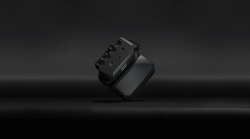
Other companies are also coming up with their own spin on the gaming keypad. In this review, we’ll take a look at one such care: the RapidSteeringGear (RSG) 1 from Germany-based MoveMaster. It is a computer gaming accessory with 10 physical buttons and 4 additional movement buttons on the handle, merging keypad and joystick ergonomics in one device.
MoveMaster RGS 1 contents and specs
The MoveMaster RSG 1 is priced at €189 on the official website and comes with the following items:


Specs of the device are as follows:
- Product weight: 790g
- Product dimensions: 130 x 135 x 80 mm
- Keys: Mechanical and Linear motion/primary/secondary keys
- Cherry switch travel: 3.7 -0.4 mm
- Pre-travel: 1.9 ± 0.6 mm
- Initial force: 30 cN min.
- Switching force: 45 ± 15 cN
- Bounce time: < 5 ms (when actuated at 0.4 m/s)
- Applicable actuation force via the handle ≈ 1 N (100 grams)
- Lever travel of the handle until contact closure ≈ 1 mm
- Software compatibility: Windows 7, 8, 10 & 11, Apple OS, and Linux
Built like a tank, built to last
With its heft and sturdy build, the MoveMaster RSG 1 makes a strong impression right out of the box. It gives off an air of a high-quality product made with premium materials that will last. Indeed, the movement unit is made of extra-hardened plastic for enhanced durability, and the stainless steel base plate, which is the major contributor to weight, offers a reliable base with anti-slip pads.
While the 790g is noticeably hefty for a gaming accessory, it offers a strong base that prevents the device from moving around while in use. And since the RSG 1 is meant to rest on a desk, you won’t notice the weight much, unless you are moving it around frequently.
The package comes with Allen keys that let you adjust the height of the handle and the depth and incline of the secondary thumb key. There are also two included spacers that further lets you customise the distance between the handle and the primary keys. Of note, the company makes the device for both right-handed and left-handed users; accommodating both demographics is always appreciated.
MoveMaster has also equipped the RSG 1 with a durable, bonded nylon USB connection cable of 1.8m length. However, the cable is fixed and limits longevity and ease of storage. A removable cable would go a long way towards making the device last longer and making it easier to store/transport.
On the plus side, the RSG 1 has two USB ports, compensating for the one that it occupies on the source device. It's a simple but thoughtful addition that will be welcomed by users.


Nevertheless, the RSG 1 packs a premium build overall. In contrast to the 3D-printed Azeron, the difference is stark. This is made more apparent considering that the RSG 1 is MoveMaster’s first mass-produced product, and this leaves quite an impression. I am personally fond of its sci-fi look, bearing the aesthetics of something from a cyberpunk movie without being too obnoxious about it.
Gaming with the MoveMaster RSG 1
To use the MoveMaster RGS 1, you can directly plug-and-play out of the box, as the keys bear default mapping. While you can use it in different configurations and for purposes beyond gaming, the main scenario is that you will control this hybrid joystick with your non-dominant hand while you use your mouse with your dominant hand. Your non-dominant hand will rest on the RSG 1, where your thumb can reach the two side keys while the rest of your fingers can operate the remaining 8 keys (two for each finger).
So far, this sounds like how most keypads function, but MoveMaster integrated a literal twist to this formula. You see, the RSG 1 packs a “mini joystick” in its handle, allowing you to move it up, down, left and right, corresponding to WASD (note that it does not support rotation). Think of it as a horizontally positioned joystick, rather than the traditional vertically-oriented one. It’s an apt component for a keypad, and MoveMaster’s spin offers a streamlined and intuitive use.
Yes, there is a slight learning curve to getting used to its novel configuration and to positioning your arm and grip, but once you get a grasp of the controls, the RSG 1 makes for a compelling accessory. While FPS games and shooters are the perfect fit, this hybrid accessory is also suited for third-person games and multiplayer. In practice, it lends itself well for a range of games/genres from The Elder Scrolls IV: Oblivion Remastered to Cairn to Dune: Awakening.
Playing those games with the RSG 1’s accessible, customisable keys (and a mouse) makes for a more comfortable gaming experience than the classic KBM combo. The positioning of the keys at the fingertips allows for rapid actions with minimal travel. Each input is highly responsive and accurate, ensuring reliable controls for single-player and multi-player games alike.
Being able to position the RSG 1 based on individual gaming setups is an additional benefit. For example, some can have it on one side of their laptop with their mouse on the other (as in my case), while others might prefer to move the RSG 1 and mouse closer. This hybrid joystick's form factor and long cable allow for such adjustments, enabling personalised physical configurations.
MoveMaster has also developed a freely available companion software for the RSG 1. It’s a fairly simple tool and intuitive tool that lets you reconfigure the keys mapping and update the device’s firmware.
MoveMaster RGS 1: gaming, rediscovered?
My experience with the MoveMaster RGS 1 has left me with a positive impression of the device. While the Azeron converted me to keypads+mouse combos, the RSG 1 feels like a decent contender for a replacement.
It’s short of becoming an upgrade because it still suffers from “first-gen syndrome”. This is because there are a few “rough edges” on both hardware and software that hopefully can be addressed in future iterations.
While MoveMaster has designed the RSG 1 to be adjustable for individual fit and comfort, it could still improve on this front. Firstly, the boxy and flat top design of the handle is counter to its ergonomic ideals. A more curved surface would enhance this aspect. The device also lacks soft padding, particularly in the palm rest area. An option to include tents would also enhance ergonomics, but it isn’t available at the time of writing. That said, these hardware limitations could be addressed with add-ons, as the handle top is removable, there are grooves to mount a tent underneath, and a padded palm rest can be glued onto the palm area.
On the software side, the RSG 1 notably does not pack an on-board memory to allow storage and easy switching between mapping configurations. While the companion software is easy to use and allows the user to quickly swap between configs, doing so on the device would be more handy. There is also no support for macros at the time of writing, which is a missed opportunity, although it seems like MoveMaster is slowly working towards this with new updates, as the latest one includes double-tap mapping.
Then there’s the firmware flashing, which is an involved process, requiring the user to use the software and press the device’s physical reset button. Here, a more streamlined process, without the need to fiddle with pins and buttons, would make for a smoother user experience.
Despite the need for some improvements, the MoveMaster RSG 1 offers a new and enjoyable way to game. It might not necessarily make you rediscover gaming, but it does offer a compelling hybrid option in a premium package. The company has also been releasing add-ons and accessories for the RSG 1 while ramping up its production, which bodes well for the future of the RSG ecosystem. If you’ve been looking for a gaming keypad or joystick, this peculiar hybrid is worth considering.
Verdict
- Unique hybrid of joystick and keypad
- Responsive, accessible and customisable keys
- Premium build
- Right-handed and left-handed options available
- Companion software does not offer macro options
- Ergonomics could be improved
- No palm padding
- Fixed USB cable

