



Hello everyone. I have found no information or mention of this online, so I want to post what I found.
Remaining Question: Does anyone know how to transfer the hardware-based license for Halo Infinite?
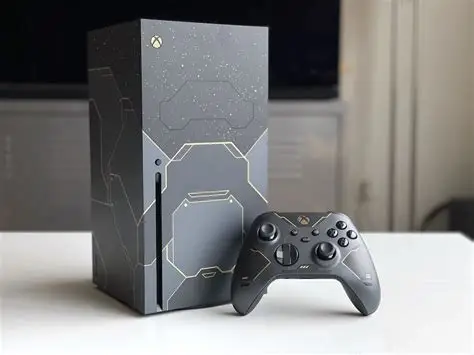
I purchased a Halo Infinite Xbox Series X when it launched, and over time, it slowly began showing signs of DRAM failure.
Most software would crash often and show horrid flashing lights and texture artifacts. Halo MCC was one such example that I have a photo of.

Of course, I was past my warranty, and with rumors swirling around that Halo Xbox warranty repairs would return standard Xbox Series X consoles, my wallet (for out-of-warranty repair) and my willingness to be scammed by Microsoft were not sitting well with me.
So, to have an Xbox that wasn't awful to play, I bought another Series X for cheap with a chewed-up HDMI port.


I got the HDMI port replaced, but where does this leave my Halo Xbox? As far as I was concerned, DRAM failure requires board work WELL beyond my knowledge and tools. So, to me, it was a pretty brick that would sit on my shelf collecting dust.
I didn't like that. I wanted to use my Halo Series X again, both in form and in function. Swapping the internals between the two Xboxes is easy enough, but I lose the chimes that accompanied it (chimes being the power-on, power-off, and disc-eject noises).
So, where exactly do the chimes live?
What differences are there between the 2 Xbox consoles?
Can you even swap over the chime?

The main differences between the two boards were:

Instead of swapping those several components from one daughterboard to the other, just swap the daughterboard itself.
The daughterboards are paired to their respective motherboard with some type of "BIOS chip". This is an 8-pin IC with a ground pad in the center.
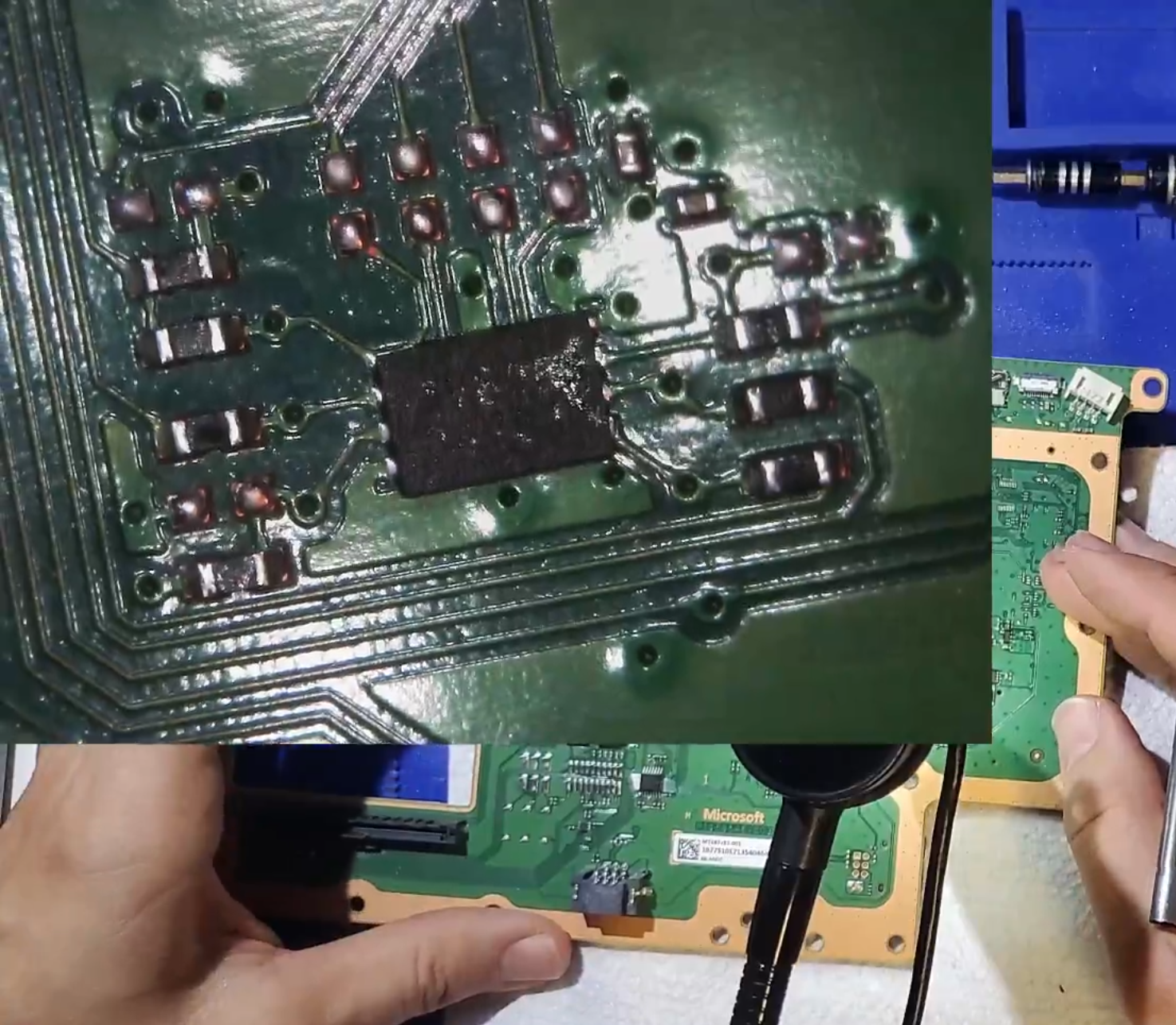
Swapping those chips married the Halo Series X South Bridge Board to the Original Xbox Series X. Chimes were transferred along with it.
Since there aren't any images of it online, I will share what I see. On the Halo Xbox, there is a special setting that contains bundled software. In it, Halo Infinite, which appears to be tied to the console and not my account.


TL;DR: Yes, you can successfully swap the Halo Infinite chime onto a standard Series X. The chime lives exclusively on the South Bridge daughterboard. You will need to swap the "BIOS chip," an 8-pin IC, for the South Bridge board to work, since that is married to the motherboard in some way.
Remaining Question: Does anyone know how to transfer the hardware-based license for Halo Infinite?
Intro
I purchased a Halo Infinite Xbox Series X when it launched, and over time, it slowly began showing signs of DRAM failure.
Most software would crash often and show horrid flashing lights and texture artifacts. Halo MCC was one such example that I have a photo of.
Of course, I was past my warranty, and with rumors swirling around that Halo Xbox warranty repairs would return standard Xbox Series X consoles, my wallet (for out-of-warranty repair) and my willingness to be scammed by Microsoft were not sitting well with me.
So, to have an Xbox that wasn't awful to play, I bought another Series X for cheap with a chewed-up HDMI port.
I got the HDMI port replaced, but where does this leave my Halo Xbox? As far as I was concerned, DRAM failure requires board work WELL beyond my knowledge and tools. So, to me, it was a pretty brick that would sit on my shelf collecting dust.
I didn't like that. I wanted to use my Halo Series X again, both in form and in function. Swapping the internals between the two Xboxes is easy enough, but I lose the chimes that accompanied it (chimes being the power-on, power-off, and disc-eject noises).
So, where exactly do the chimes live?
What differences are there between the 2 Xbox consoles?
Can you even swap over the chime?
BODY
I took my two consoles apart to find my answer, and what I found was that the chime hardware was located on the South Bridge Daughter Board.The main differences between the two boards were:
- Speaker
- 48 Pin IC labeled 9160F IMS05 2116 ARM 2830B024. Appears to be an ISD Cortex -MO ChipCorder ISD9160.
- Supporting components: resistors, capacitors, etc.
Instead of swapping those several components from one daughterboard to the other, just swap the daughterboard itself.
The daughterboards are paired to their respective motherboard with some type of "BIOS chip". This is an 8-pin IC with a ground pad in the center.
Swapping those chips married the Halo Series X South Bridge Board to the Original Xbox Series X. Chimes were transferred along with it.
Remaining Question
There is one more thing about the Halo Series X I would like to do. The Xbox has some hardware-bound software key for Halo Infinite. How do I transfer that?Since there aren't any images of it online, I will share what I see. On the Halo Xbox, there is a special setting that contains bundled software. In it, Halo Infinite, which appears to be tied to the console and not my account.
Last edited by KIlly728,


