

GitHub: https://github.com/TOM-BadEN/NX-Mod-Manager
This project is fully open-source and completely free. In the worst case, I might lose interest in Switch or temporarily be unable to cover server costs. I will prioritize finding someone to take over. If no one takes over, the project will simply be closed. I will never add any paid content.
If you are a GitHub user and appreciate this project, please give it a Star. It would be greatly appreciated.
Although this is a follow-up version of the same project, it has undergone a complete code rewrite, architecture redesign, UI overhaul, and interaction improvements, making it incompatible with the previous version. The current version is essentially a major leap compared to the old one.
Therefore, I have created a new post. If this violates community rules, please feel free to delete the old post. ( My English is very poor, and I couldn’t find the button to delete it )
For any mod manager on the market, including mine, many users may not realize that you should not manually install or uninstall mods, or use another mod manager, while using a mod manager. Doing so can cause the mod manager’s records to become invalid, preventing it from correctly handling installations and removals.Although in most cases this will not cause issues noticeable to the user, I still recommend keeping your SD card clean and avoiding manual operations or using other managers while using a mod manager.Of course, if you find this inconvenient, you can still install and use mods as usual. As mentioned earlier, in most scenarios users will not notice any problems. Additionally, my mod manager automatically handles file conflicts during mod installation. If it encounters conflicts that cannot be resolved automatically, it will notify you, and you can handle them manually.
Back to the main topic.
This is a mod management tool designed specifically for the Nintendo Switch platform. The current version has undergone a complete code rewrite and a full underlying architecture overhaul, resulting in significant improvements in both functionality and stability. The project is fully open-source and completely free, with no paid content of any kind. It supports browsing and downloading mods online and provides a complete in-device management workflow, allowing users to obtain and manage mods without manually handling the SD card.
Tips: The mod indexing system for Monster Hunter games is not yet supported. Special adaptation for Monster Hunter will be included in the next version.
The server currently hosts 285 games and 382 mods.
About 90% of the mods on the plugin server come from the original work of the talented creator 清风明月, many of which were never previously made public online. We are very grateful for their support, so let’s all say together: “Thank you, 清风明月!”
Additionally, the mod information in the store, such as names and descriptions, supports Simplified Chinese, Traditional Chinese, and English. The display will automatically adjust according to the user’s language setting.
For reporting issues, please prioritize using the GitHub project’s issue feature. You can also find other feedback channels through the “About” menu within the plugin, but using GitHub issues is still recommended. Due to limited personal capacity, I may not be able to follow up on incomplete or vaguely described reports, so your understanding is appreciated.
When submitting feedback, it is recommended to provide the following information whenever possible: the Atmosphere and system firmware versions, detailed steps to reproduce the issue, whether the problem occurs consistently, any specific files that trigger the issue, and any other information that could help locate and resolve the problem.
This is all the content for now. Most people won’t read a more detailed version, so we won’t include it. Open the plugin menu on the main page and select “About” to view a text-based basic user guide.
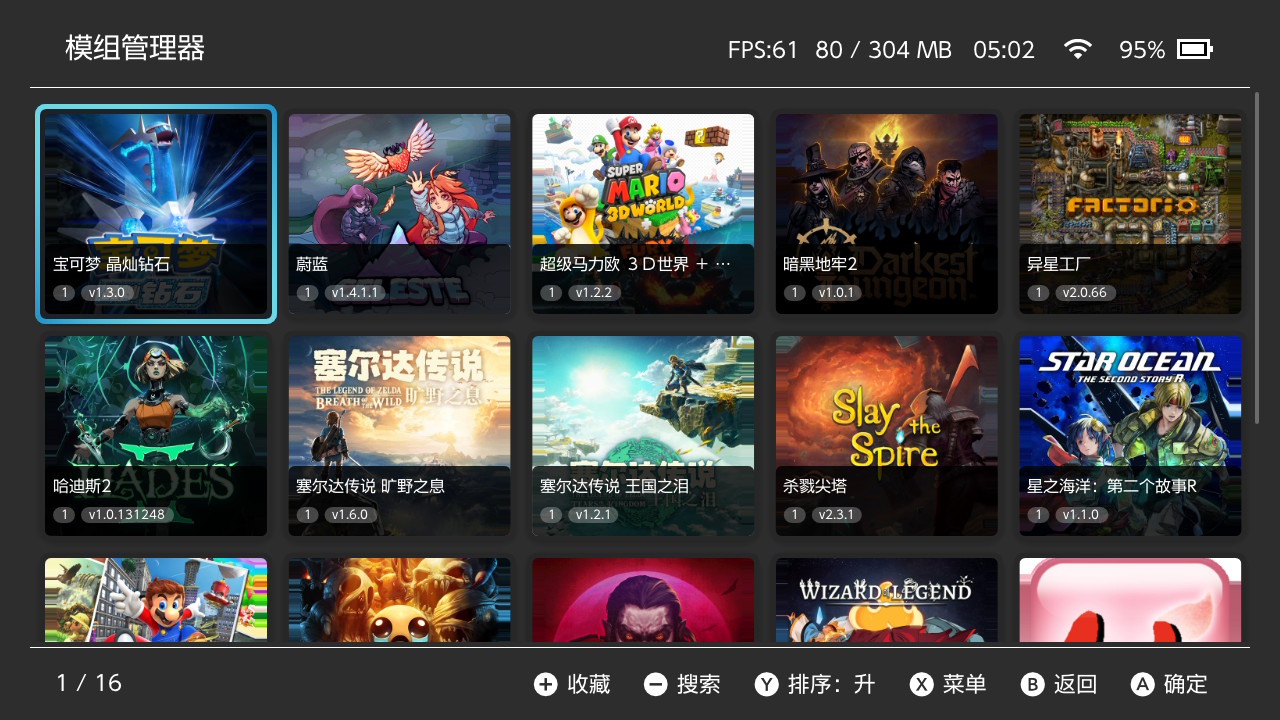
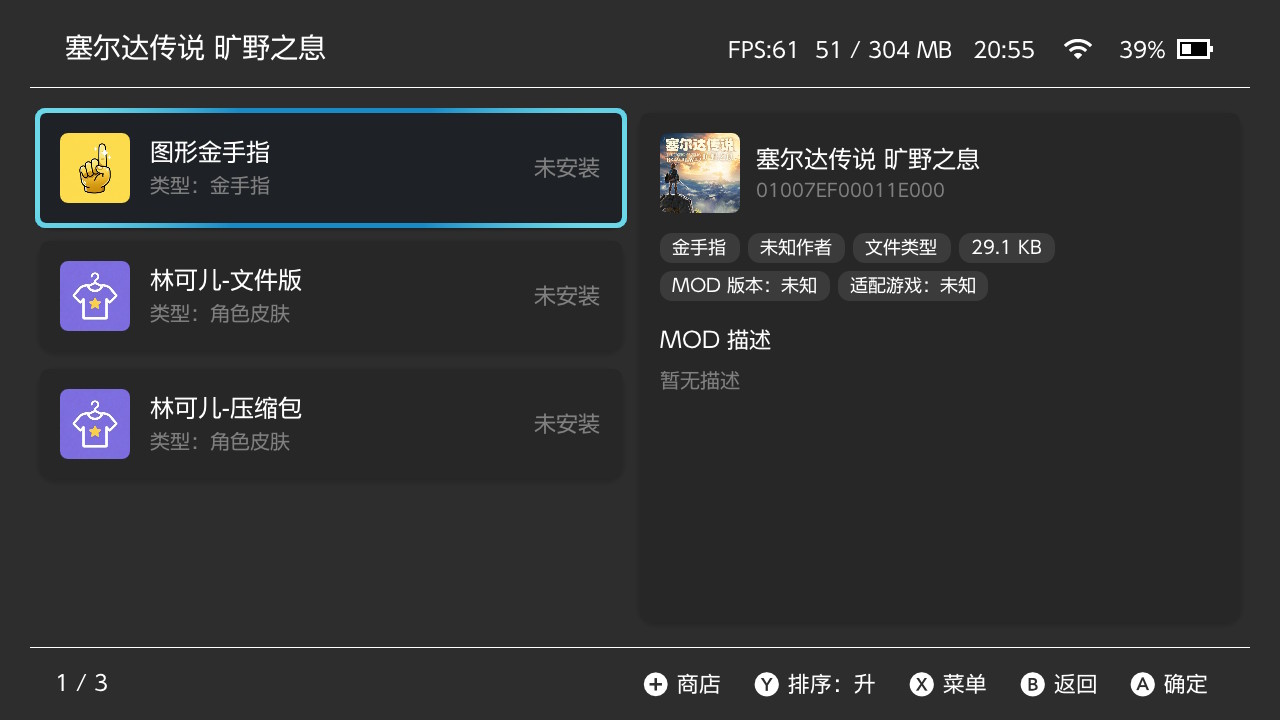
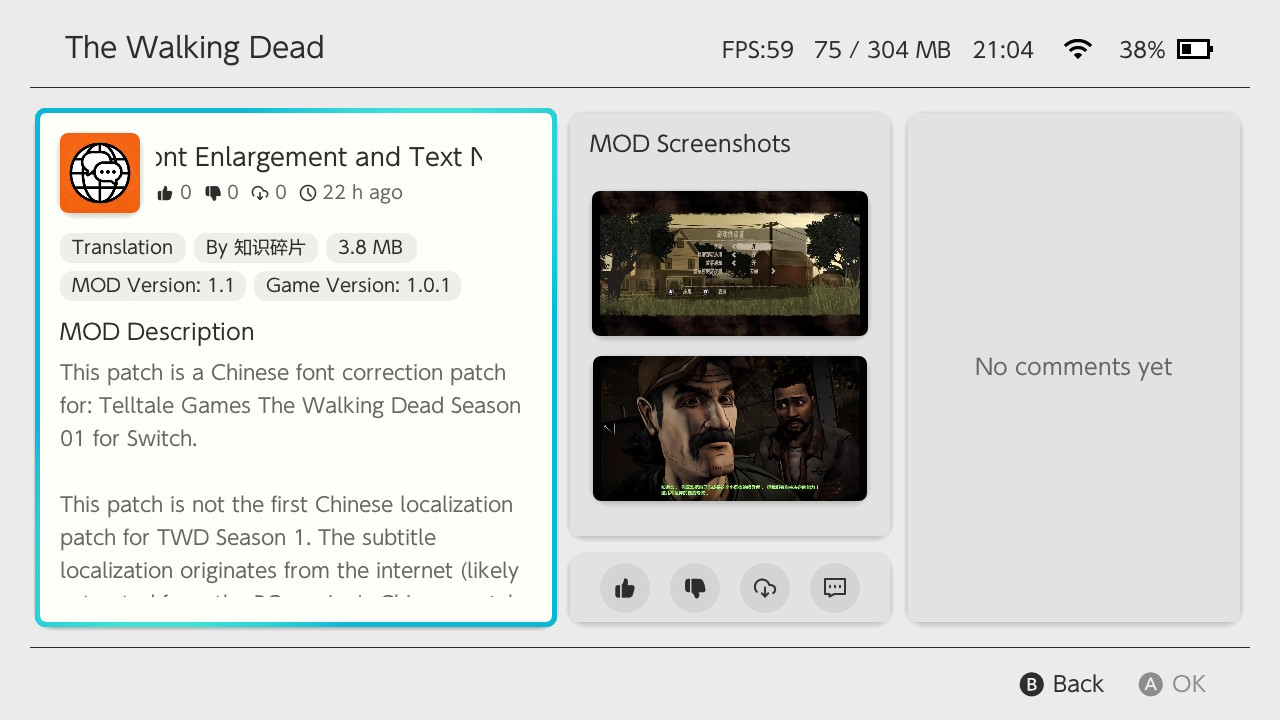
Finally, here are a few screenshots of the homebrew. Enjoy your gaming!

This project is fully open-source and completely free. In the worst case, I might lose interest in Switch or temporarily be unable to cover server costs. I will prioritize finding someone to take over. If no one takes over, the project will simply be closed. I will never add any paid content.
If you are a GitHub user and appreciate this project, please give it a Star. It would be greatly appreciated.
Although this is a follow-up version of the same project, it has undergone a complete code rewrite, architecture redesign, UI overhaul, and interaction improvements, making it incompatible with the previous version. The current version is essentially a major leap compared to the old one.
Therefore, I have created a new post. If this violates community rules, please feel free to delete the old post. ( My English is very poor, and I couldn’t find the button to delete it )
For any mod manager on the market, including mine, many users may not realize that you should not manually install or uninstall mods, or use another mod manager, while using a mod manager. Doing so can cause the mod manager’s records to become invalid, preventing it from correctly handling installations and removals.Although in most cases this will not cause issues noticeable to the user, I still recommend keeping your SD card clean and avoiding manual operations or using other managers while using a mod manager.Of course, if you find this inconvenient, you can still install and use mods as usual. As mentioned earlier, in most scenarios users will not notice any problems. Additionally, my mod manager automatically handles file conflicts during mod installation. If it encounters conflicts that cannot be resolved automatically, it will notify you, and you can handle them manually.
Back to the main topic.
This is a mod management tool designed specifically for the Nintendo Switch platform. The current version has undergone a complete code rewrite and a full underlying architecture overhaul, resulting in significant improvements in both functionality and stability. The project is fully open-source and completely free, with no paid content of any kind. It supports browsing and downloading mods online and provides a complete in-device management workflow, allowing users to obtain and manage mods without manually handling the SD card.
Tips: The mod indexing system for Monster Hunter games is not yet supported. Special adaptation for Monster Hunter will be included in the next version.
| Feature | Description |
|---|---|
| Game Management | Add games from installed game list or by manually entering TID; supports game removal and favorites |
| Mod Management | Add, install, uninstall, and remove mods; compatible with both ZIP archives and folder formats |
| Patch Conversion | Automatically converts pchtxt text patches to IPS patches during mod installation |
| Smart Detection | Automatically identifies mod files with non-standard directory structures and detects file conflicts between mods |
| Smart Search | Supports pinyin, polyphone, initials, fuzzy matching and other search methods, deeply adapted for Chinese users |
| Mod Toggle | One-click disable or restore all mods for quick game issue troubleshooting |
| File Transfer | Supports MTP (USB wired) and FTP (Wi-Fi wireless) for transferring mods to the console |
| Online Store | Built-in mod store with browsing, searching, downloading and uploading; includes like and comment features |
| Customization | Customize various content such as game name, mod name, description, version, author, and type |
| Multi-language | Simplified Chinese, Traditional Chinese, and English interfaces |
| Theme Switching | Light and dark themes with automatic system-following option |
| Auto Update | Check and download new versions within the app |
| Force Cleanup | Fix reference count corruption caused by abnormal interruptions |
The server currently hosts 285 games and 382 mods.
About 90% of the mods on the plugin server come from the original work of the talented creator 清风明月, many of which were never previously made public online. We are very grateful for their support, so let’s all say together: “Thank you, 清风明月!”
Additionally, the mod information in the store, such as names and descriptions, supports Simplified Chinese, Traditional Chinese, and English. The display will automatically adjust according to the user’s language setting.
For reporting issues, please prioritize using the GitHub project’s issue feature. You can also find other feedback channels through the “About” menu within the plugin, but using GitHub issues is still recommended. Due to limited personal capacity, I may not be able to follow up on incomplete or vaguely described reports, so your understanding is appreciated.
When submitting feedback, it is recommended to provide the following information whenever possible: the Atmosphere and system firmware versions, detailed steps to reproduce the issue, whether the problem occurs consistently, any specific files that trigger the issue, and any other information that could help locate and resolve the problem.
This is all the content for now. Most people won’t read a more detailed version, so we won’t include it. Open the plugin menu on the main page and select “About” to view a text-based basic user guide.
Finally, here are a few screenshots of the homebrew. Enjoy your gaming!
Attachments

Last edited by TOMSUN,